Integration · Ignite
Ignite integration
The Ignite connector bridges the gap between secure European cloud video hosting and your LMS.
Bring Your Videos Together –
Right Inside Moodle
Stop jumping between dashboards. The Ignite connector bridges the gap between secure European cloud video hosting and your LMS. By pairing Media Time with Video Time, you get a unified media system where instructors can upload, structure, and track video assets natively in Moodle, while Ignite handles the backend delivery quietly, reliably, and in full compliance with European data standards.
It is the perfect setup for universities and corporate academies that want to scale their digital learning content with absolute privacy and zero workflow friction.
Why Ignite and Media Time?
The problem
The Reality of LMS Video Today
Managing videos in Moodle can easily become messy and raise compliance questions. Instructors often juggle external links, insecure embed codes, and duplicate files across multiple courses. When a video needs an update, tracking down every single placement turns into a time-consuming headache, and keeping user data completely isolated within your own secure environment becomes a major challenge.
The fix
Centralized Media, Regional Security
Our integration replaces manual work with a clean, organized video infrastructure built directly into your Moodle site — backed by European hosting.
Native & Secure Uploads
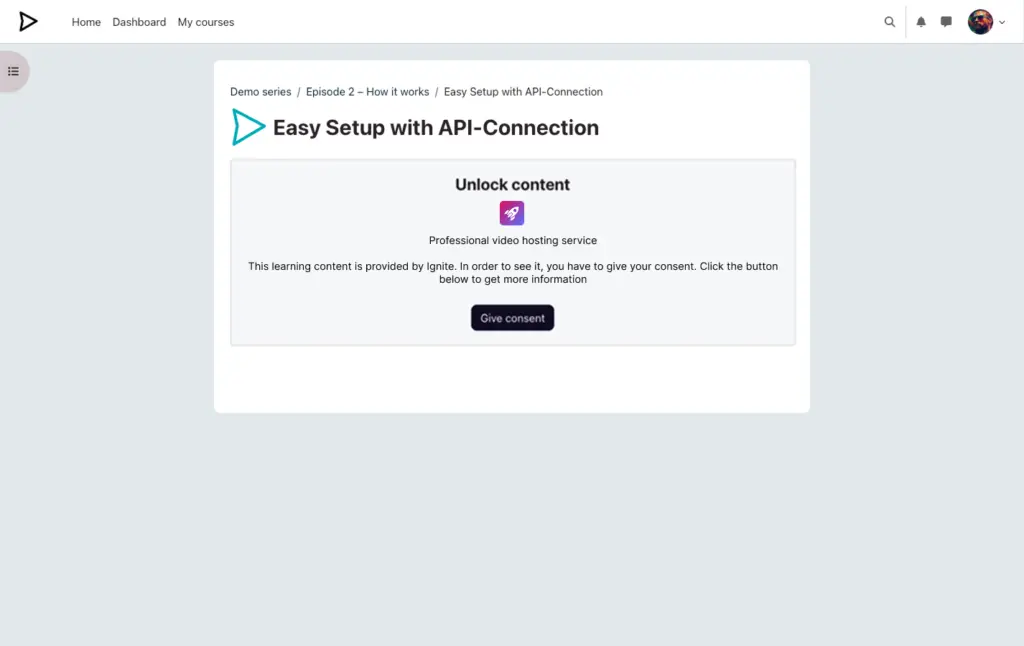
Instructors can drop video files right into Moodle via Media Time. Ignite takes care of the encoding and secure hosting instantly behind the scenes — no separate logins or external dashboards needed.
Smart Organization
Keep your media tidy by structuring assets across three logical spaces: platform-wide, by category, or specifically for individual courses.
Instant & Two-Way Updates
Embed a video wherever you need it. Changes to metadata, thumbnails, or tags applied directly within Media Time are automatically synced back to Ignite, ensuring your library stays perfectly organized everywhere without double effort.
Featured Components
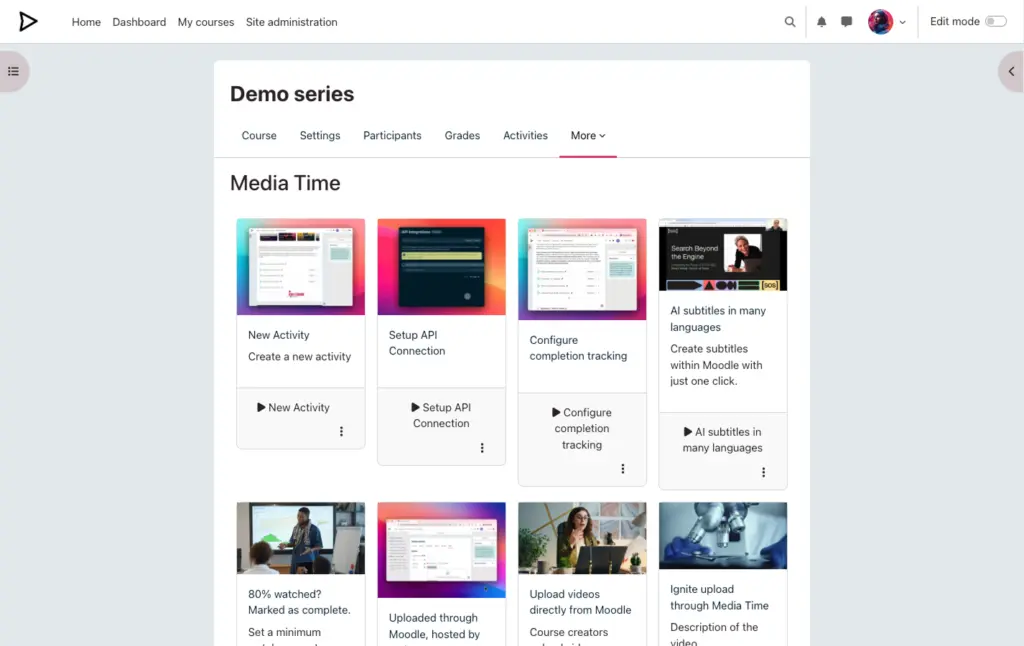
Course Media Library
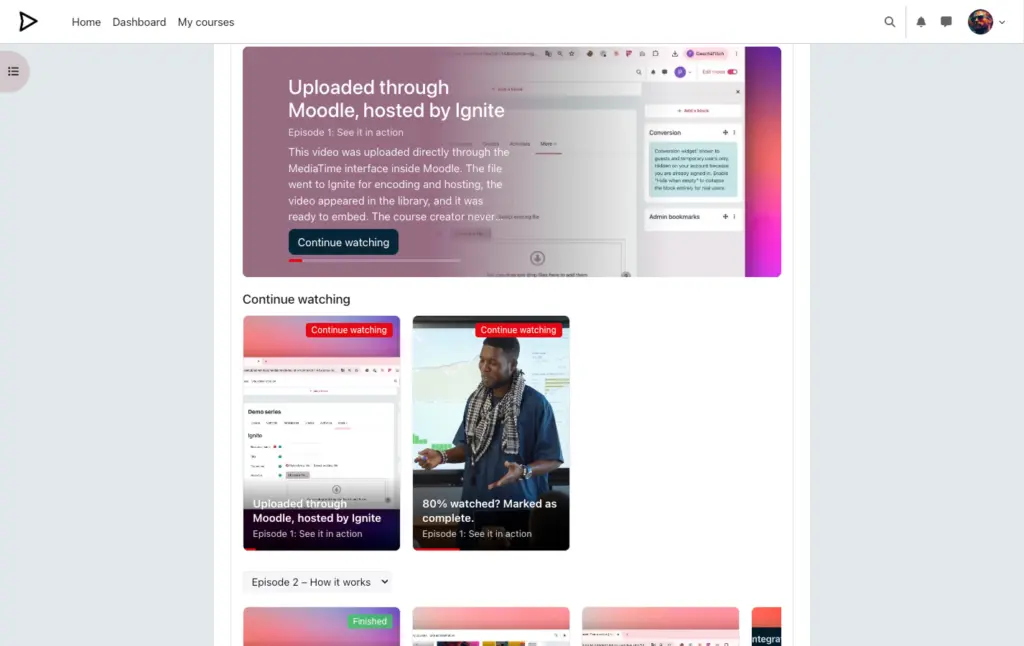
Browse and edit your library easily. The connector instantly syncs descriptions, thumbnails, and tags between Moodle and Ignite.
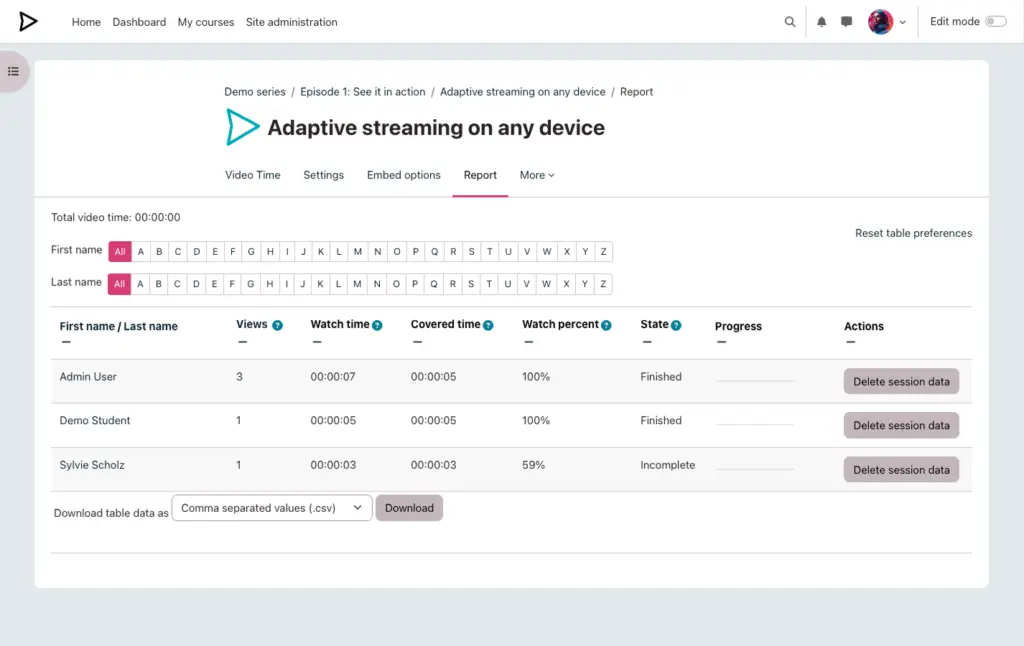
Tracking & Reporting
Set completion triggers (e.g., 80% watched), block fast-forwarding for compliance, and enable resume playback. Progress flows directly into Moodle.
Interactive Learning
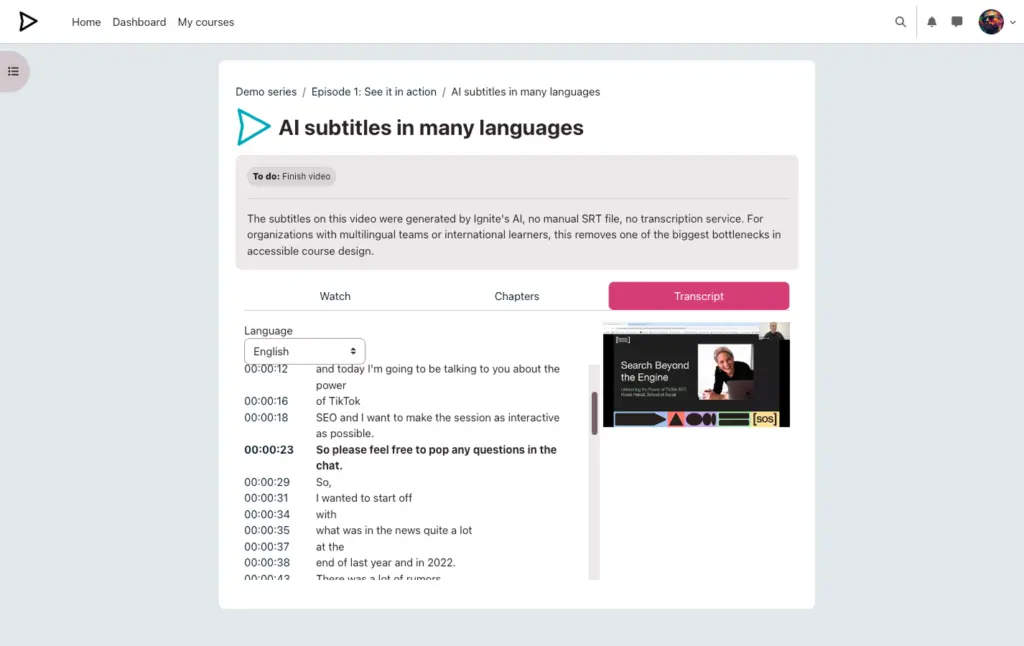
Automated, synchronized AI transcripts from Ignite and structured chapters for easier navigation.
See it in Moodle
Click a screenshot to enlarge it
Demo site
Explore our demo site that showcases the integration of Ignite and Moodle using Video Time, Media Time, and Dash.
Keep exploring
The products behind this integration